






Cafés & restaurants
Stamp cards, a menu with table orders, and more reviews after every meal.


Contact details, social links, services, gallery and an enquiry form on a page you can restyle anytime. Share it by link, QR or NFC tag.
A loyalty card in your customers’ Apple Wallet or Google Wallet. Your team scans it at the counter, the stamp is added in a second, and the reward follows.
Only your team adds stamps, by scanning the card.
Happy customers go straight to your Google or Tripadvisor page. Quieter feedback reaches a private form first, so you hear it before anyone else does.
Watch
One short film shows every service. Pick your language, then jump to any chapter.
Chapters
More films
Each service works on its own, and they work even better together. Start with one, add the rest when you are ready.
01 · Loyalty cards
Customers scan your QR code and add their card to Apple Wallet or Google Wallet. Nothing to download. Choose stamps, points, a discount card or a gift card, with your logo and colours.
02 · At the counter
Your team scans the QR code on the customer’s card with any phone. The stamp is added in a second and the card in the Wallet updates by itself. A full card gives a reward code, scanned the same way.
03 · Menu & store
Publish your menu or your online store. Customers order from the table, for pickup or for delivery, and you accept, prepare and finish each order in a tap.
04 · Reviews
After a visit, customers rate you on your own review page. Happy customers go straight to Google or Tripadvisor. The others write to you privately, so you can make it right first.
05 · Games
A prize wheel, scratch cards, gift boxes and a memory game. You choose the prizes, the limits and the dates. Every win is a code your team checks at the counter, or uses at checkout in your store.
06 · NFC tags
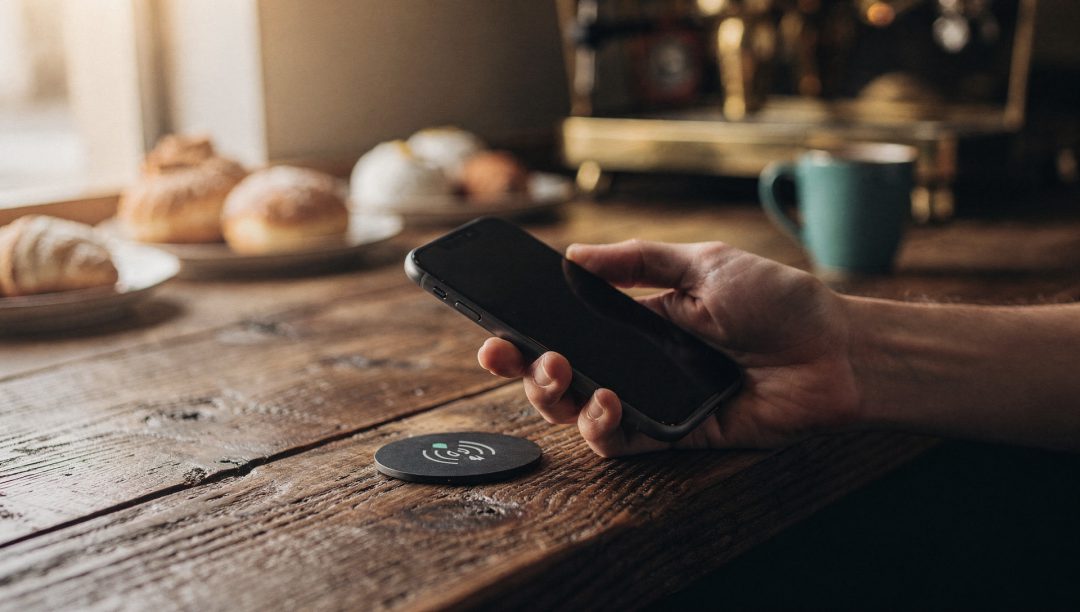
Put a Card-V NFC tag or QR code on your counter, your tables or a bracelet. Choose what it opens: your profile, Instagram, WhatsApp, your menu, your review page or your loyalty card. Change it anytime; the tag stays the same.
07 · Digital cards
A profile with your photo, contact details, services, gallery and social links, from templates made for your profession. Share it by link, QR code or one tap, and see how many people open it.
08 · Wallet messages
Send news and offers to every card in the Wallet, or only to the members you choose. On iPhone, the message appears on the lock screen.
From a corner café to a team of twenty, Card-V fits the way you already work.
Stamp cards, a menu with table orders, and more reviews after every meal.

Points or discount cards, an online store with pickup and delivery, and prize games.

Gift cards, visit rewards and messages on the lock screen that bring clients back.

A digital business card for every team member, on NFC cards, bracelets and QR codes.
An agency or a reseller? Card-V partners run the accounts of their own clients from one console.
Simple for your team, safe for your business.
Customers can’t stamp their own card. Every stamp and every reward is recorded with who gave it and when.
A full card gives a reward code that works one time only, scanned at the counter.
Your team scans cards, takes orders and sees its own history. Settings, members and reports stay with you.
Find the member at the counter by phone number or card number, and stamp the card anyway.
Run Card-V on the counter tablet, your laptop or your phone. Nothing to install.
Your dashboard inside Telegram: scan cards, follow orders and switch your NFC links, without another login.
Open in Telegram →Your customers keep your card where they keep their boarding passes, always one swipe away.
Every service has its own plans, so you only pay for what you use. Pay by card or in cash.
No. They scan your QR code, get their card and add it to Apple Wallet or Google Wallet. The card also opens in any phone browser.
They open Scan in Card-V and point the phone at the QR code on the customer’s card. The stamp is added at once and the card in the Wallet updates by itself. No special hardware needed.
No. Only a signed-in member of your team can add a stamp or hand over a reward, and each one is recorded with who did it and when. Daily limits stop repeated scans.
Stamp cards, points cards, discount cards and gift cards (an amount or an item). Each kind has its own look in the Wallet, with your logo and colours.
No, everything works with QR codes. NFC tags and bracelets are a plus: one tap opens the page you choose, and you can change it anytime.
They pay you directly, on delivery or at the counter, as they do today. Card-V sends each order to your phone so you can accept it and get it ready.
English, French and Arabic, for your dashboard and for your customers’ pages, with full right-to-left support for Arabic.
Yes. Choose a plan and select cash at checkout; our team confirms the payment and switches your plan on.
Set up your first loyalty card in minutes. It’s free to start.